
Calorie Tracker is Live
Camera calorie trackers estimate calories and macros from a photo. What they do well, where the numbers drift, and how to use one without chasing precision.
On this page
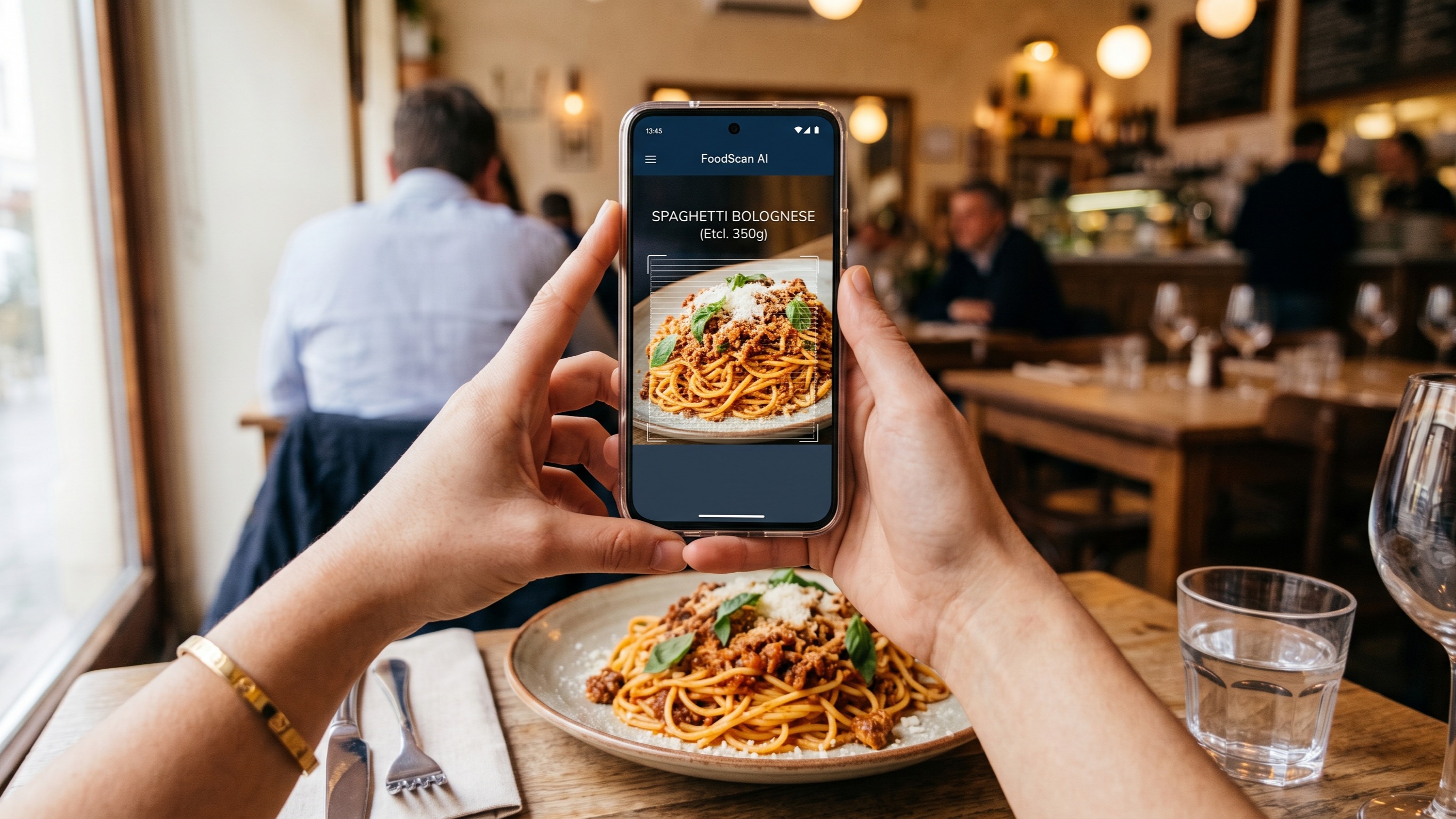
Point your phone at a plate and an app will try to name the food and estimate the calories. That is the pitch for camera-based calorie trackers, and it works well enough to be useful. The number that appears is a guess built from a photo, though, and knowing how the guess is made helps you use it without over-trusting it.
How a photo becomes a calorie estimate
Most apps run the same sequence in a second or two. The image is compared with a food database, the app picks the closest matches, estimates the portion from how much space the food takes up in the frame, then multiplies the calories per gram by that portion.
Every step carries error. A chicken breast on a plate is easy. A bowl of curry with rice, yogurt and a spoon of pickle is a stack of separate ingredients, and the app has to guess how much of each one is in the bowl.
Small habits that improve the estimate
Shoot from above, in good light, with the whole plate in frame.
Scan before you start eating, not halfway through.
Check the portion the app assumed and adjust it when it is clearly wrong.
Break mixed dishes into parts when you can. Scan the rice, then the curry.
Calories, macros and the rest of the label
Calories tell you how much energy a food carries. Macros tell you where that energy comes from, and that changes how filling the food is.
Protein, carbohydrate and fat each have a calorie value per gram, and the app adds them up for you. Two snacks can land on the same calorie figure while one is mostly protein and the other is mostly sugar. The first will usually hold you longer, and it will protect muscle better if you are eating less.
When you scan, look past the total for a moment. A meal with a decent amount of protein and a source of fiber is doing more work for you than a snack bar with the same number on the label.
Fiber and the nutrients that go missing
Fiber rarely gets its own line in a scan result, but it matters for appetite and for blood sugar. Single whole foods usually show it. Mixed restaurant dishes often will not, because nobody measured the vegetables that went in.
Micronutrients are patchier still. Treat a scan as a calorie and macro record, and get the rest of your nutrition from what you actually put on the plate.
A scan gives you a starting number. Your own log and your weight trend tell you if that number is close.
What tracking does for weight loss
Losing weight comes down to eating less energy than you use, held over weeks rather than days. A tracker helps because it makes intake visible. Most people underestimate what they eat, and a log closes that gap.
Use the scan to get a rough daily total, then watch the scale. If your weight has not moved in three or four weeks and your goal is fat loss, the log is probably too low, or portions are bigger than the app assumed. Change one thing and check again.
Avoid setting very low calorie targets on your own. Very low intakes are hard to hold and they are not safe for everyone. Speak to a doctor or a registered dietitian if you want to go below a moderate deficit, if you are pregnant, or if you have a history of disordered eating.
Scanning food when you manage a health condition
Camera trackers are built around calories and macros. Some conditions need numbers the app does not show, or shows badly.
Diabetes
Carbohydrate per meal affects blood sugar more than total calories do. Scans of mixed dishes tend to be wrong on carbs, since sauces and dressings hide sugar and starch. For packaged food, read the label. For home cooking, weigh rice, pasta and potatoes for a couple of weeks so your eye learns the portions.
Kidney disease
Protein, sodium, potassium and phosphorus often need limits. A photo scan will not reliably report potassium or phosphorus, and those values are usually missing from restaurant entries. Work with a renal dietitian and treat scans as a rough record, not a treatment tool.
High blood pressure and heart health
Sodium is the number to watch, and it is the one apps estimate least well. Salt added in a kitchen or a restaurant does not show up in a photo. If sodium is your focus, log salt, stock cubes and sauces by hand and keep scans for the main ingredients.
Food allergies
An image recognition app cannot tell you whether a dish contains an allergen, and cross contamination does not appear in a photo. Read labels and ask the kitchen.
A routine for the first two weeks
Scan breakfast and lunch every day. Those meals repeat most often, so the estimates are easier to check.
Adjust the portion after each scan. It takes a few seconds and it keeps the total honest.
Weigh yourself at the same time a few mornings a week and track the average rather than single readings.
Review after two weeks. Keep the habits that gave you a log you trust. Drop the ones that added work without adding information.
Some meals will not scan well. Log them by hand, or log the closest match and move on. A food log only has to be good enough to guide one decision at a time.
Tags: Calorie Tracker, Nutrition, Diet